
What to Look for in a Flashcard App: A Complete Guide

There are decades of academic research that proves that flashcards are one of the most effective study tools out there if they follow these two principles:
- Active recall, which helps you learn better when you try to retrieve an answer from memory
- Spaced repetition, i.e., spacing out your content review over time beats one-time cramming sessions
Flashcards only deliver on their potential benefits if the app you study them in is built well. A low-quality app that does not have evidence-based study features will not prove to be helpful even if you study the cards daily.
Every flashcard app promotes a different set of features as its selling point, so it becomes difficult for students to know what to prioritize when deciding on one.
In this article, I discuss the core features you should look for in a flashcard app to optimize your learning before you commit your study time to it.
Top 5 features that you must look for in a flashcard app
Technically, you could compare a hundred different variables between different flashcard apps.
Many of them, like pricing, ease of use, interface design, etc, are subjective to individual preference, so I have left them out on purpose. This article is strictly focused on the features that affect your learning outcomes.
With that said, here are the 5 features that must check out in a flashcard app:
1. Core scheduling algorithm
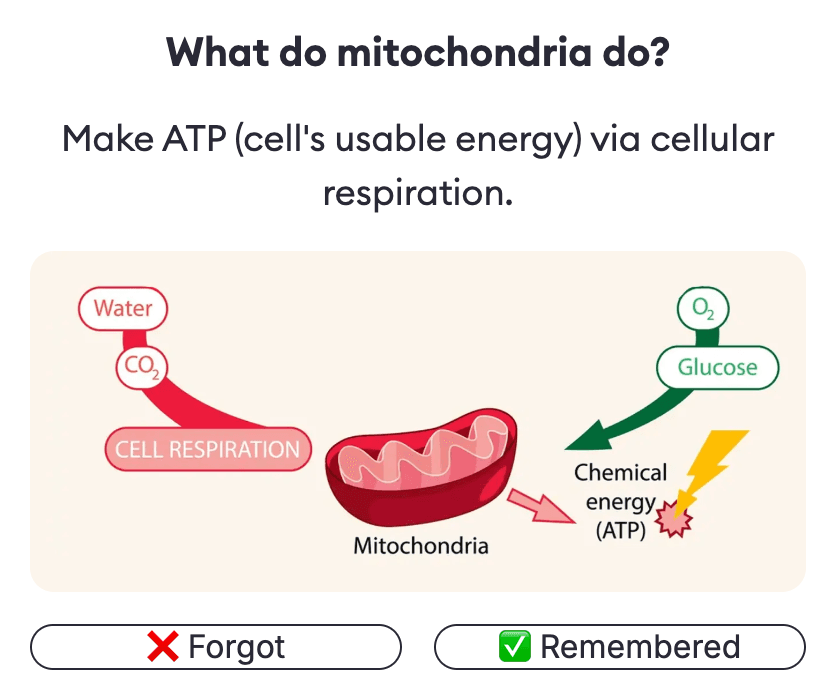
The single most important factor to look for in a flashcard app is the algorithm it uses to space out the reviews for all cards you study. Most flashcard apps run on the concept of spaced repetition, i.e., reviewing material at increasing intervals helps you retain it for the long term.
Two scheduling algorithms have been validated by research:
- SM-2 (SuperMemo): In SM-2, every card starts with a default ease factor, usually 2.5. Each time you recall the card correctly, the app multiplies its current interval by that ease factor to work out the next one, so a card on a 10-day interval moves to roughly 25 days. The ease factor itself rises or falls depending on how hard you said the card was.
- FSRS (Free Spaced Repetition Scheduler): It is a more recent algorithm that accounts for 3 different factors (difficulty, stability, and retrievability) rather than just the ease factor every time you review a card.
FSRS-6 tends to require fewer reviews to reach the same level of retention as SM-2.
RemNote and Anki, the two most popular flashcard apps, both use SM-2 and have also adopted FSRS.
2. Card creation features
You also need to look very thoroughly at the card creation flow for the flashcard app you select.
Every good app supports at least the following card types:
- Basic Q&A cards that show a question on the front and an answer on the back
- Reverse or bidirectional cards that assess the same question both ways (once in A to B direction and another as B to A direction)
- Cloze deletion card, which treats a full sentence as a fill-in-the-blank question, and you have to recall the missing phrase
- Image occlusion cards in which some labels of an image are covered up, and you need to recall the correct labels to get it right
Some apps, RemNote for example, also support specialized types of cards, i.e., multiple-choice cards, cards with tables, cards with audio and video, etc.
A good flashcard app should also let you import the cards you made previously on some other platform. This feature is known as bulk import. Many apps support CSV and Excel file types for bulk imports. Anki has its own .apkg format for importing pre-made decks.
AI is now an integral part of many study workflows, so many flashcard apps also support AI-assisted flashcard generation.
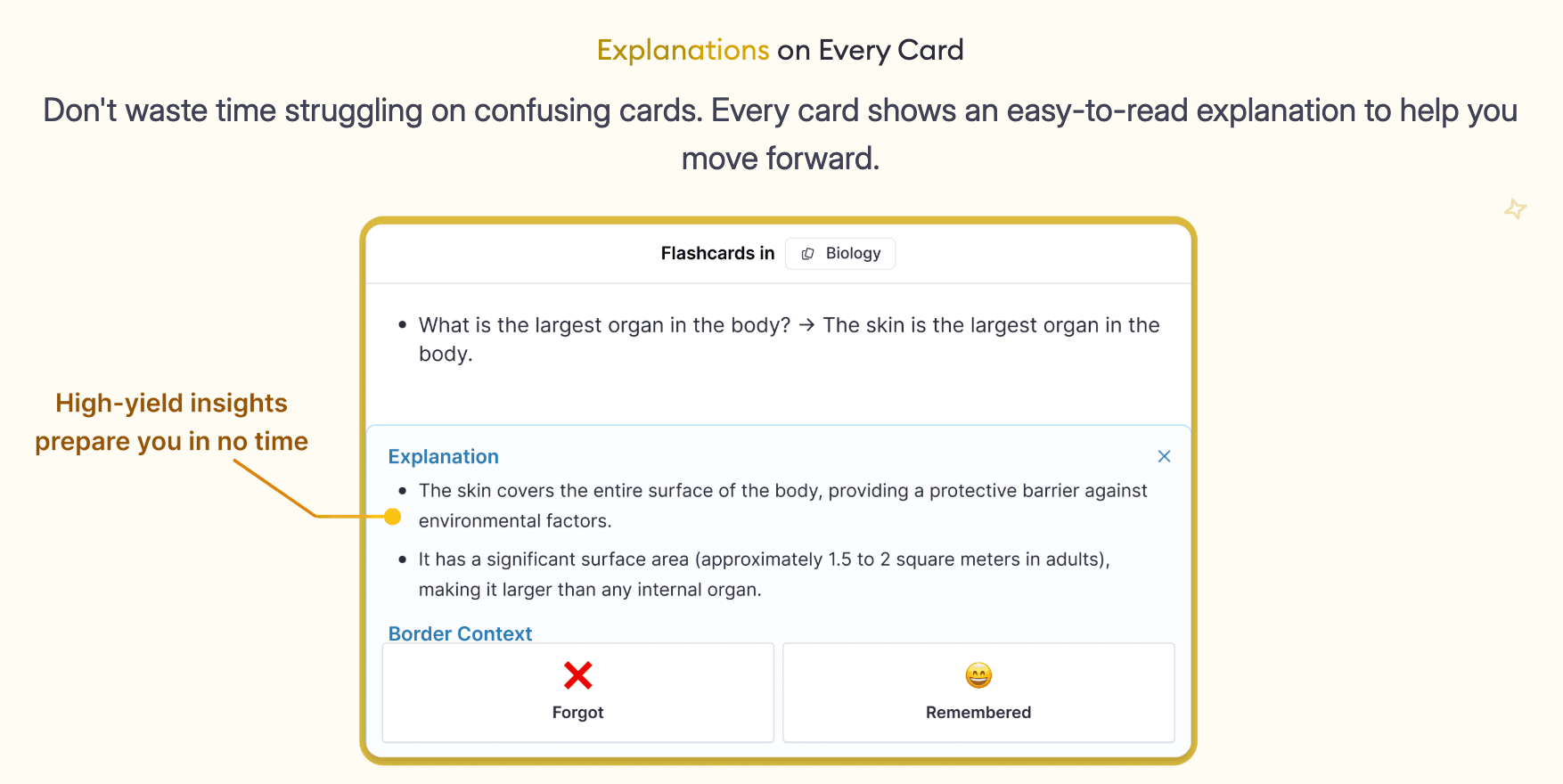
If you upload the content source to the flashcard app (could be a PDF, Word document, lecture slides, EPUB files, images, handwritten notes, links to online video lectures, etc), the app will itself create flashcards for you. You can then edit them to your liking.
You can try using this feature in RemNote.
3. Note-taking & flashcard Integration
You should also consider if an app can host your source material and your flashcards in the same place because constant back-and-forth switching between tabs eats up a lot of study time.
Also, studying flashcards as isolated facts without looking at the context of the topic is harder to place in your memory.
Anki, despite being a good flashcard app otherwise, has this trade-off. Studying with such an app requires you to keep lecture notes separately and manually convert them into flashcards when you need to.
RemNote, however, treats your notes as potential flashcards. You can create flashcards while you’re taking notes without having to copy your content elsewhere. And when you sit to study your cards, you can easily jump back to the associated study material if you don’t understand the context.
Quizlet has also recently introduced a notes-to-flashcards conversion feature, but it is not as integrated as RemNote.
4. Flashcards organization and analytics
You should look for an app in which flashcards are organized in a hierarchical order in which decks are nested inside one another.
A deck placed underneath another is known as the subdeck, while the deck above it is called the parent deck. If you click on a parent deck, you can pull all the cards from the subdecks too.
For example, if you're using flashcards for medical school, you can have a parent deck for Cardiology, and then multiple subdecks for anatomy, pharmacology, pathology, etc.
Similarly, if you’re using flashcards to learn languages, you can have a parent deck for French, and then multiple subdecks for vocabulary, grammar, verbs, etc.
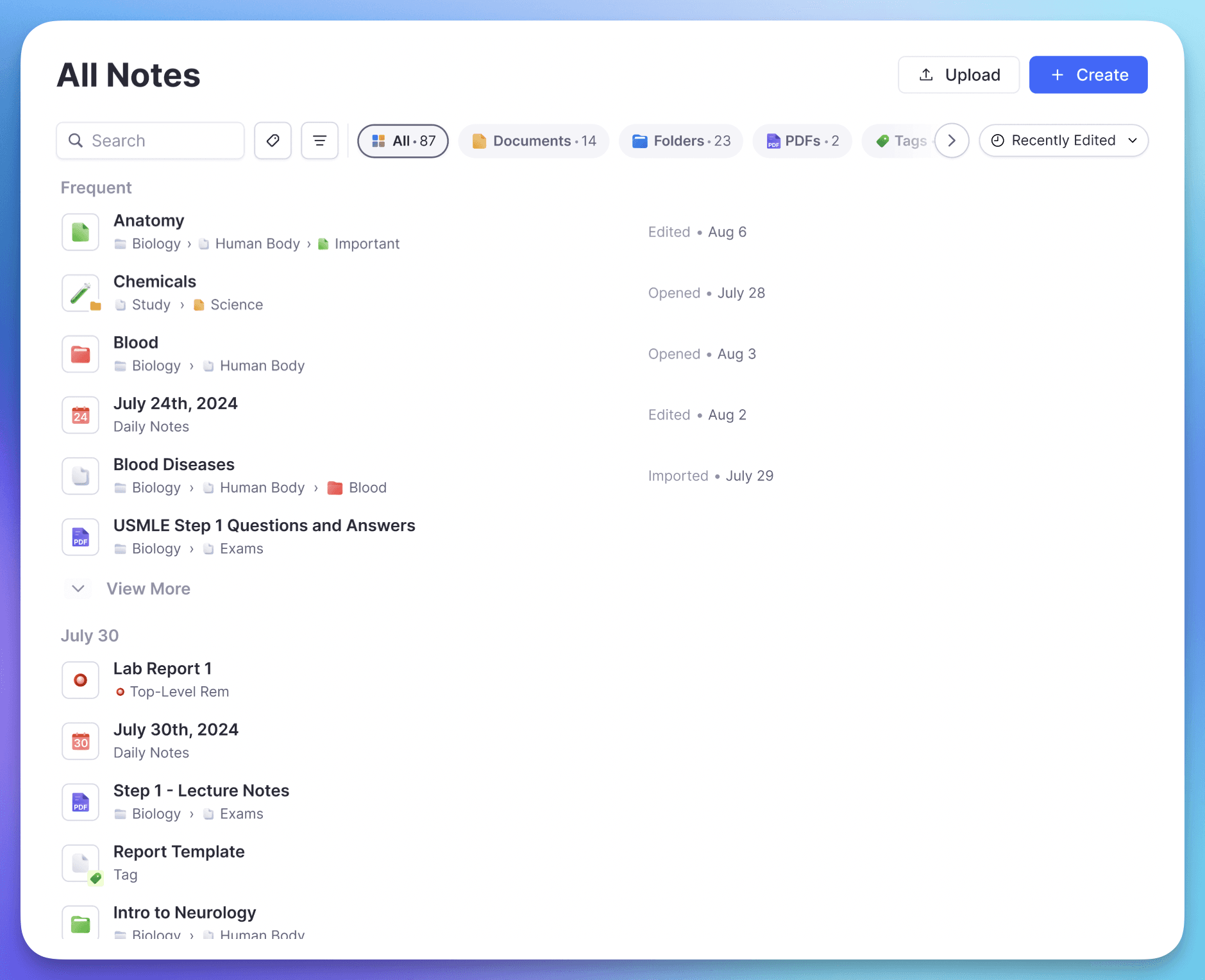
Many flashcard apps also support tagging, which works more like flexible labels than the strict deck structure. With tags, you can categorize your cards by certain topics.
If, let’s say, you have a parent deck of Pathology, you can have a subdeck for cardiovascular disease, and then categorize every single disease by tags. Students also use tagging to study specific high-yield cards that they have tagged by the name of a particular exam.
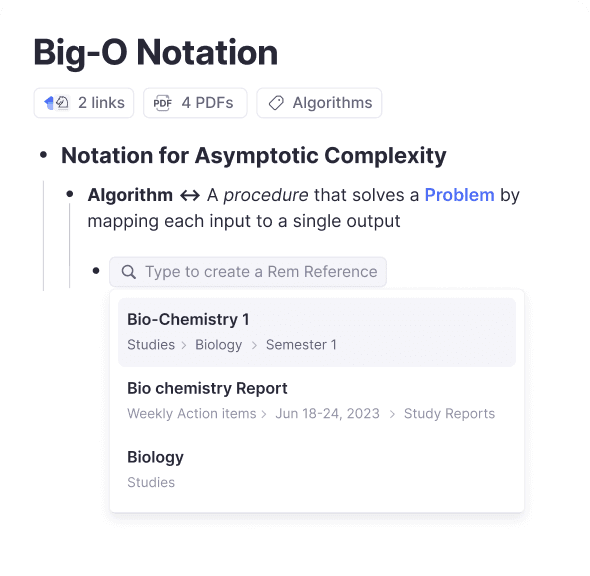
Your flashcard app also needs to have a separate analytics tab from which you can gauge your study progress. Some of these helpful tracking features you should look for are:
- Your retention rate, i.e., the percentage of the cards you correctly recall on review, broken down by deck
- A forecast of all your upcoming reviews (how many cards will be due on future days).
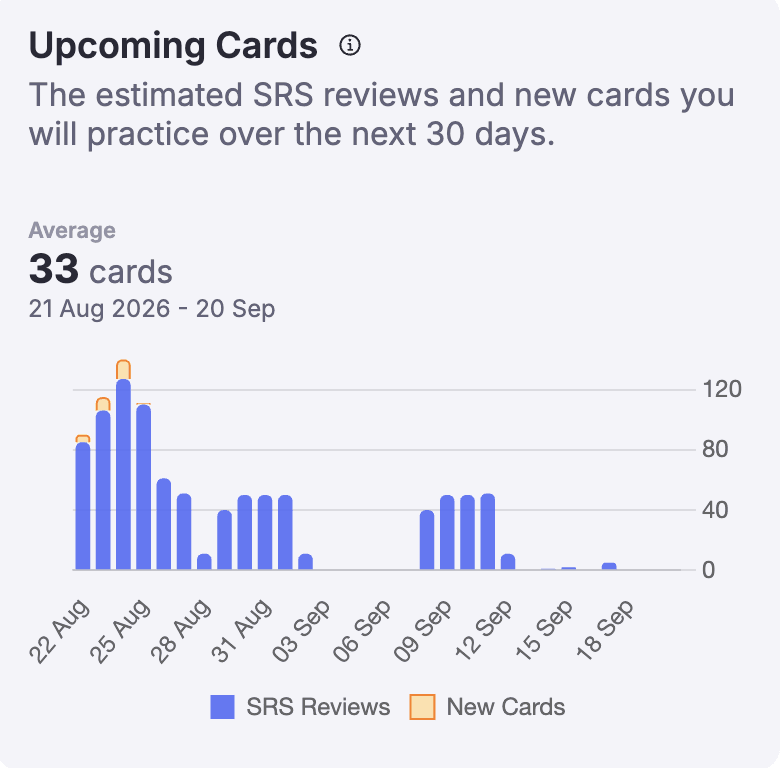
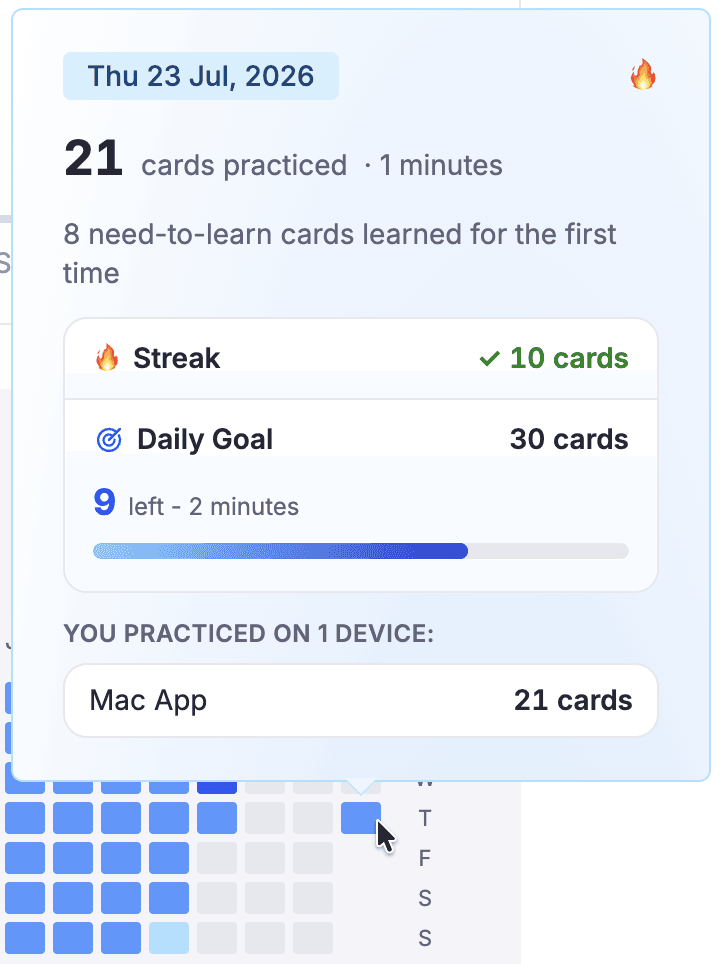
- A review heatmap, which is a calendar grid in which each square is shaded according to your activity. It has a motivational effect and also gives you quick stats on your daily review counts, your current streak length, an overview of your upcoming reviews, etc.
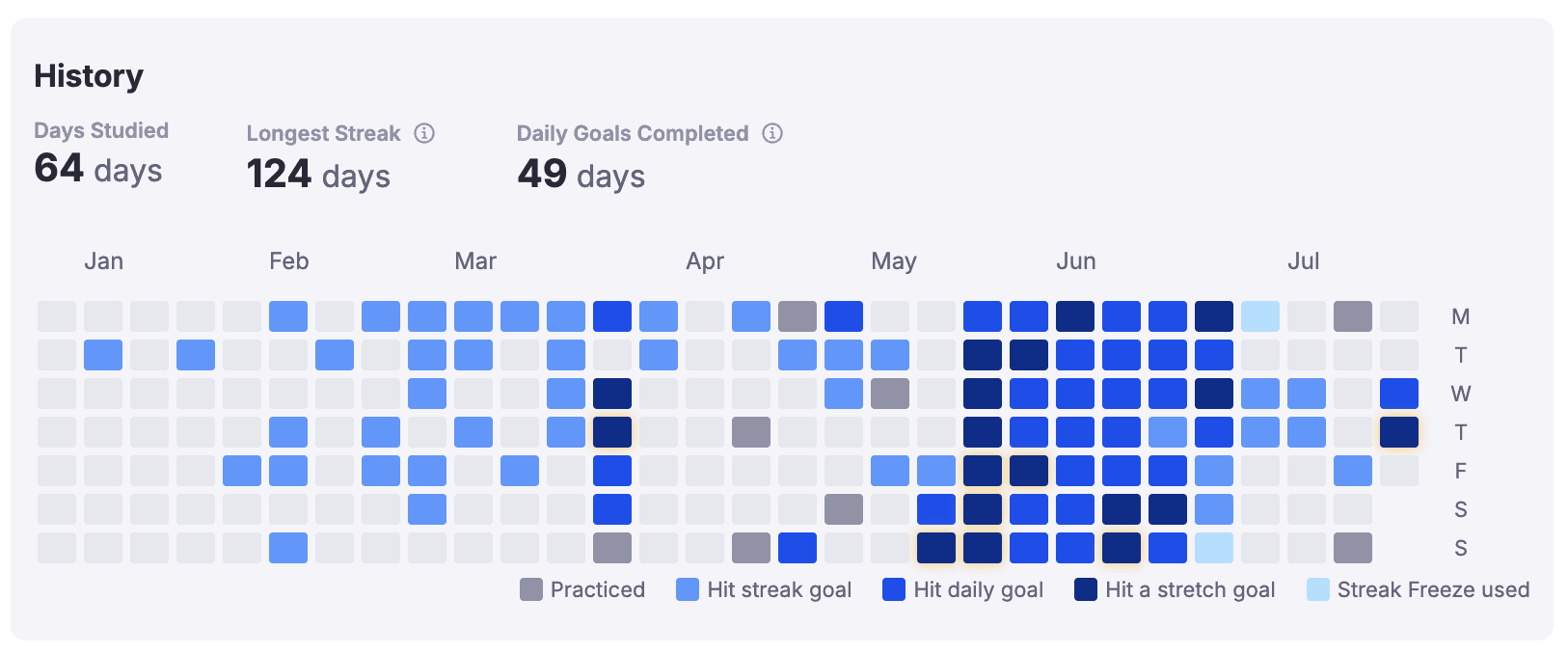
- Streaks are used to track consecutive days of activity. Maintaining your streak requires at least some activity. It does not consider how many cards you studied each day as the review heatmap does.
5. Degree of customization
You might also want to check out how much control a flashcard app gives you over your studying.
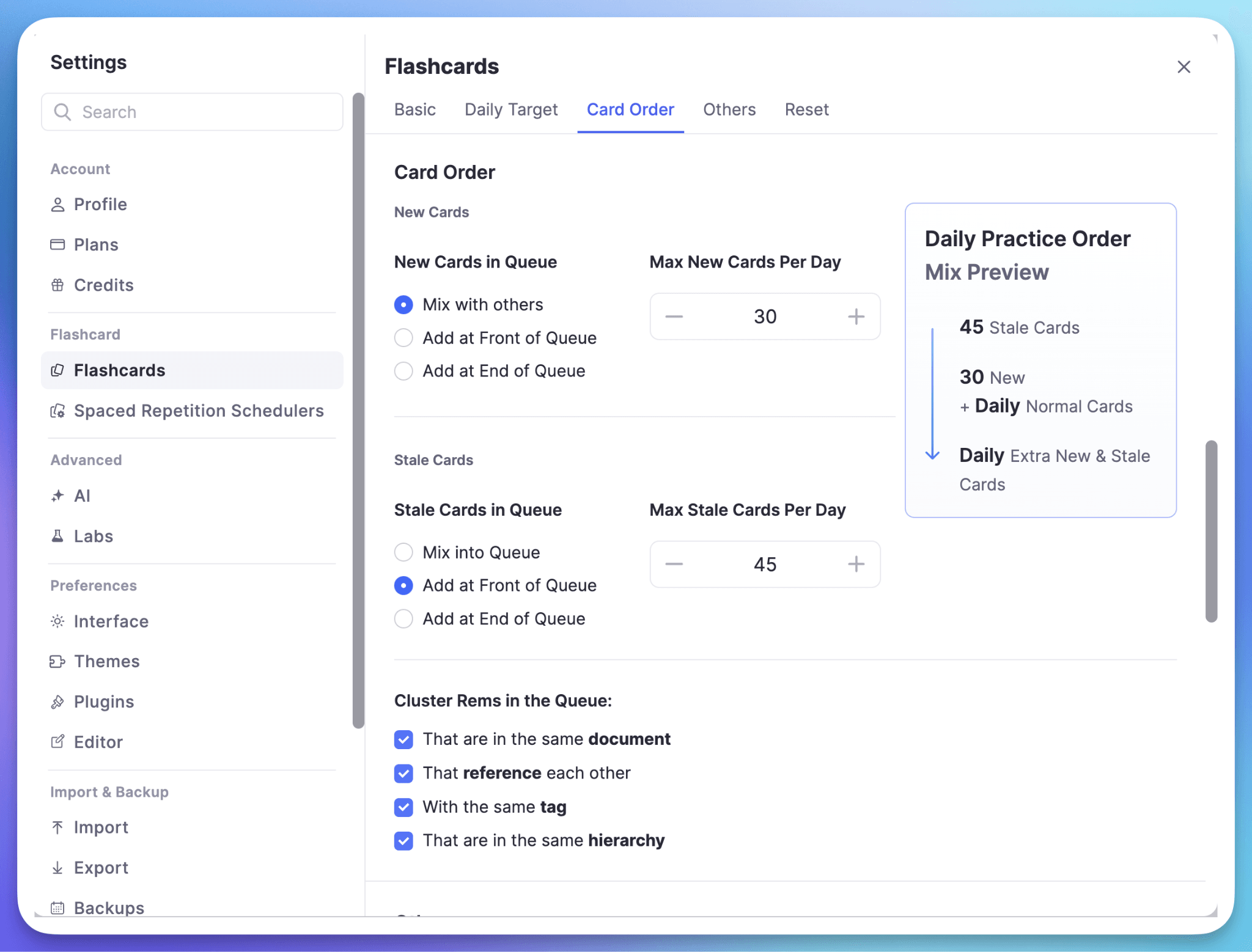
A good flashcard app lets you set a fixed number of new cards introduced per day and a separate cap on total reviews per day. If you learn 20 new cards every day consistently, you can expect your daily reviews to build up to ~200 cards a day.
The app should allow you to create a custom study session. In this mode, you study outside your normal daily limits, for example, to go through all your content a few days before your exam.
For example, see this built-in exam scheduler of RemNote and the customizations it allows:
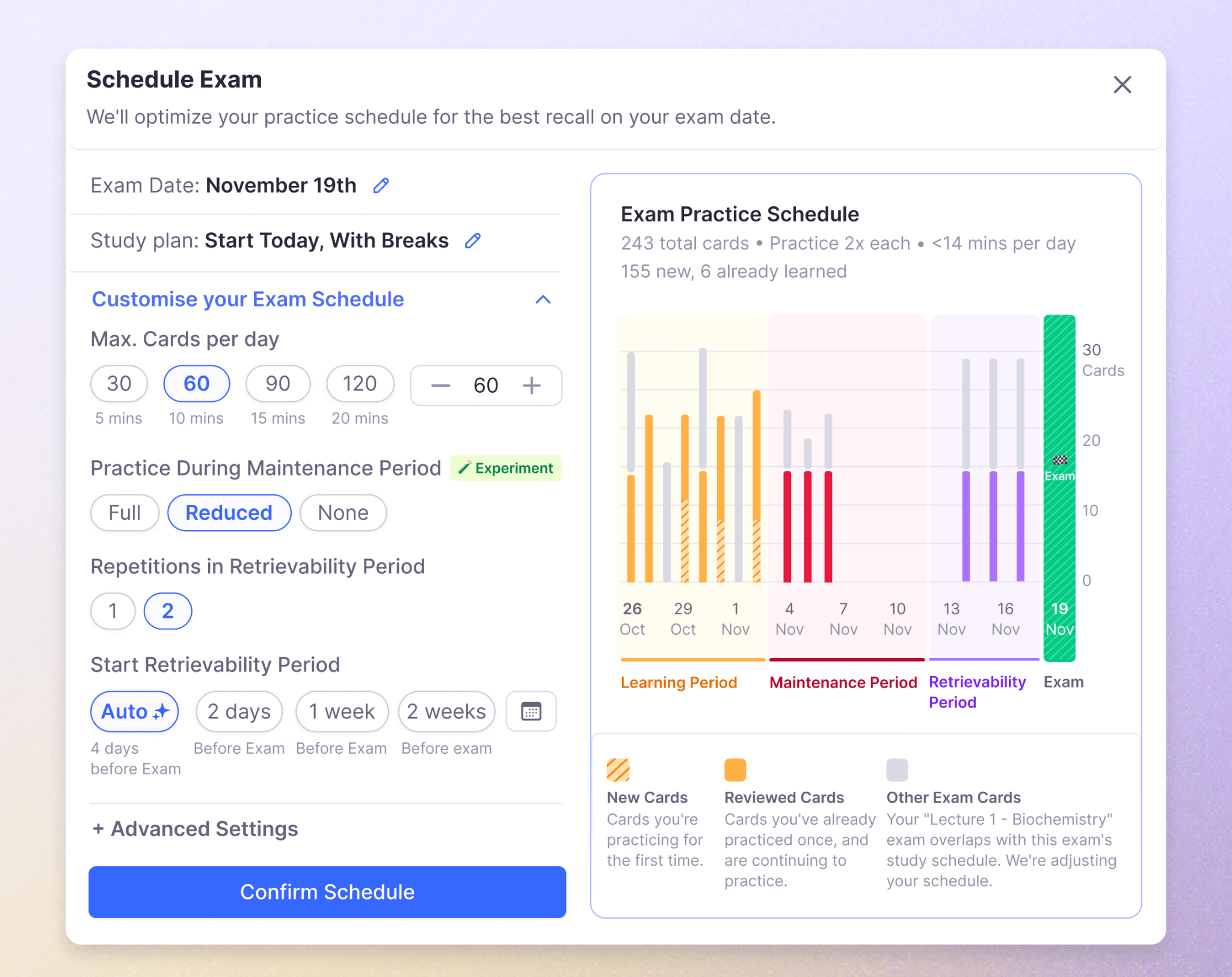
You should also see if the app you’re selecting lets you play with preset filters for custom study sessions to, for instance, review only the cards you got wrong that day or to review ahead of schedule before you go on a vacation.
Manual scheduling override is a feature with which you can change the review schedule of a card manually rather than the algorithm deciding when you see it next. It can help you reduce your card load by pushing a card you know well far into the future.
Many flashcard apps will extend the degree of customization with add-ons and third-party plugins. The app may not have a core feature, but it should allow you to get a plugin for the specific feature you need. Both RemNote and Anki have community-built add-ons.
Side-by-side comparison of the most popular flashcard apps
Now, here is a side-by-side comparison of the 4 most popular flashcard makers in terms of the core features we’ve discussed. Again, make sure that your final call also considers pricing and ease of use too.
| Tool features | RemNote | Anki | Quizlet | Brainscape |
| Scheduling | Spaced repetition scheduler (SM-2 by default and FSRS are available). | Uses SM-2 by default. FSRS is available as an opt-in scheduler. | Automated spaced repetition but no transparency on the algorithm. | Confidence-based repetition (CBR), less effective than SM-2/FSRS |
| Creating cards | 6 built-in card types with other editing options. AI-assisted card creation is possible and allows import as well. | Several card types, and it allows bulk import. Has a direct manual card creation process. | Basic Q&A and multiple-choice/game-style formats. AI-assisted sets possible. | Basic card types. Editor allows added context/footnotes. |
| Note-taking | Notes and flashcards both are supported. | No native note-taking. | Card/quiz-focused. It’s not a note-taker. | Can add footnote-style context but no note-taking. |
| Organization | Hierarchical notes/outline structure. | Deck/subdeck hierarchy and independent tags. | Sets and folders for grouping. Nesting is not possible. | Decks and classes for grouping. |
| Customization | Adjustable review settings, custom study sessions. Plugins for additional features. | Manual control over custom study/filtered decks. Large add-on ecosystem. | Study modes and pacing are largely fixed. | Does not allow changes to manual limits or overrides. |
| Overall rating | 4.8/5 (App Store) 4.5/5 (Google Play) | 4.7/5 (Google Play) | 4.2/5 (Google Play) | 4.8/5 (Google Play) |
Note: These ratings are as of September 2026.
RemNote: The flashcard app that checks all the above boxes
To be fair, RemNote and Anki come very close in terms of the features they have that you should absolutely look for in a flashcard app. They run on the best spaced repetition engines that have been validated by research.
One of the features where RemNote pulls ahead of Anki is the note-and-flashcard integration that saves up a lot of your study time. When all of your note-taking, PDF annotation, and flashcard creation is consolidated in one place, you no longer need to switch between separate tools.
RemNote also gets a few extra points because of its AI-assisted flashcard creation workflows. Its user interface is easier to pick up and more engaging to use on a day-to-day basis.
Give RemNote a try for free today!
FAQs
What is the best offline flashcard app?
RemNote and Anki are the two best flashcard apps that work offline pretty well. You only need internet access to sync your progress between different study devices you use the app on. Where RemNote has the edge is in what else is available while you're offline. In RemNote, your notes and source material are all alongside your cards, so you can easily jump from a card back to the material it came from without a connection. AI-assisted card generation in RemNote is the one feature that you need internet for, so make sure to generate your cards before you head offline.
How many new cards should I study per day?
That is very subjective to your study goals, but if you do not have a major exam coming up and you need to build a sustainable learning habit, you should start with 20 cards a day. Then, you can build up to 40–60 new cards a day or even higher as needed. Keep in mind that the majority of your total number of cards for the day will be reviews from previous days.
Should I make my own flashcards or use pre-made decks?
If you can find a good-quality pre-made deck for a subject you’re studying, you can use it to save your time and edit cards as you want. Making new cards manually from scratch is time-consuming, but you can always use AI study tools like RemNote to save time.
Are paid flashcard apps better than free ones?
Paid flashcard apps are not necessarily better than free ones. If the scheduling algorithm is similar for a free one and a paid one, they will both produce the same results. But paid apps often give you more features like AI integration, pre-made decks, exam scheduling, better user experience, and speed, etc.